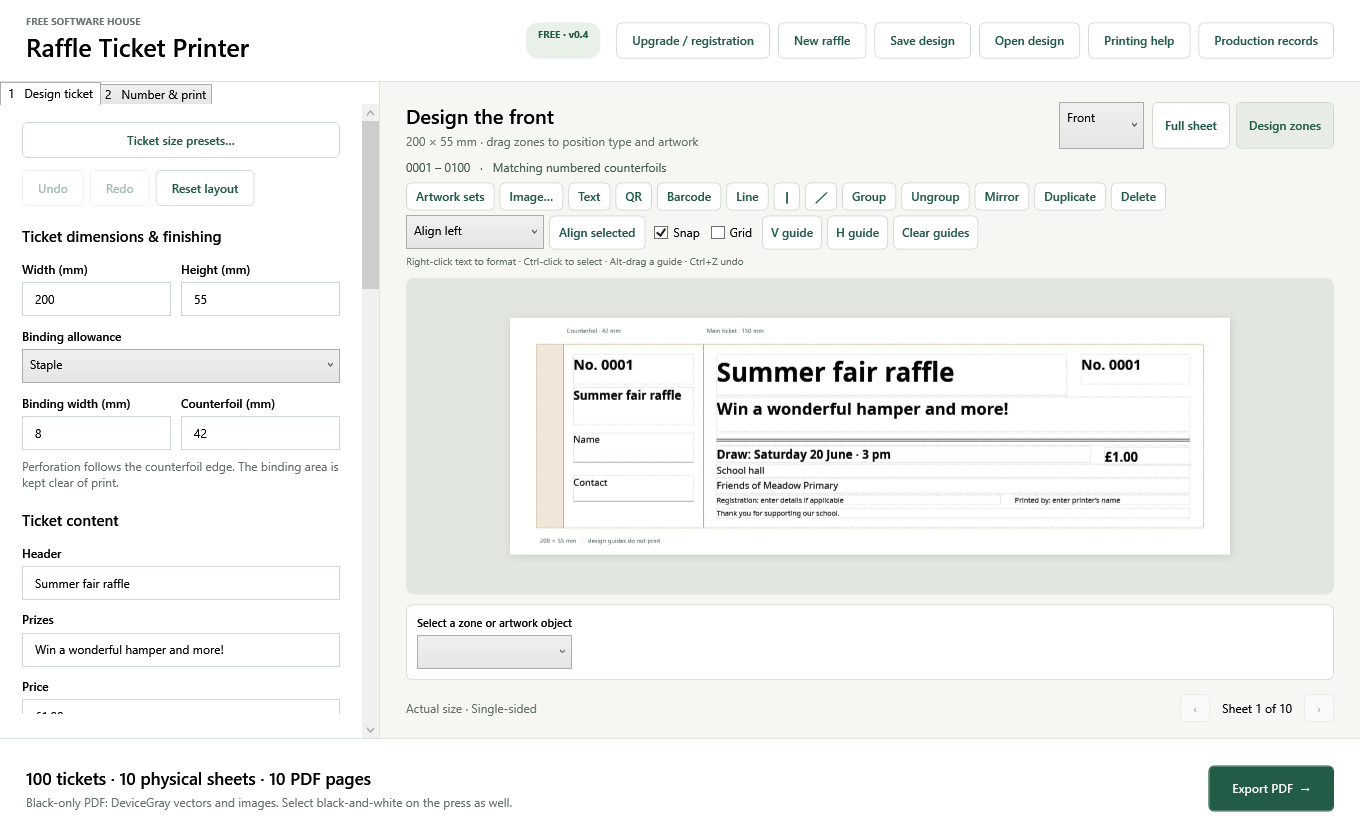
Made around the print job
- Design both sides with text, vector artwork, images, dividing lines, QR codes and barcodes.
- Drag, resize, align and group objects; use guides, snapping and undo.
- A4, A3, SRA4, SRA3 and Letter sheets, with margins, gutters, crop marks and opposing columns.
- Forward/reverse numbering, continuous or batched cut stacks, optional batch and sheet marks.
- Explicit black ink and greyscale PDF output, plus RGB and CMYK colour choices.
- Production records, selected-sheet replacements and a recorded full-job reprint override.
Press-sheet zoom only changes the preview. PDF printing must use the intended paper size and actual-size settings. The app records exports; it cannot count or prevent repeated printing of a PDF in another program.
Choose your edition
| Edition | Numbering | Price |
|---|---|---|
| Free | Up to 500 tickets per job, always starting at 1, without a prefix | £0 |
| Registered | Custom starting numbers and prefixes; up to 1,000,000 tickets per job | £29.99 once |
Registered is for one named user and this major version. No subscription. Future paid upgrades require a separate purchase decision. The core designer and production history are available in Free.
Registration checkout is being prepared
The application and website now use a signed registration file. Live card payments are currently unavailable, and the paid release is not yet open for sale. Checkout will remain closed until payment and release delivery are ready. No payment is taken on this page.
Check registration availabilityHow registration will work
- Choose Registered on this page and continue to GroupCore checkout.
- Check the total price, registered name and delivery choice, then pay through Stripe when checkout is available.
- After verified payment, your private order page provides the software and your registration file, immediately or after your chosen 14-day delivery period.
- In the app, open Upgrade / registration, select Open registration file and then Activate registration.
The complete .fshlic file contains your signed activation code. The registration number printed on your receipt is a reference; it is not the complete activation code. Keep your receipt, order link and registration file private. Test registrations cannot activate the released application.
Free development preview
Version 0.4.0 preview · Windows x64. This portable development build includes its runtime. Extract the ZIP to a writable folder and run RaffleTicketPrinter.exe. Keep your production Data folder backed up. Check the included release notes and use a proof before a production run.
Public preview download is being prepared. Existing preview users can obtain this build through their development session. The final paid release and supported Windows compatibility statement will be published before sales open.
Country and region guidance includes checked sources for selected jurisdictions and marks unreviewed locations clearly. It does not approve a lottery or replace the organiser's local requirements.
Help with an order
Contact info@groupcore.co.uk with your order reference and app version. Do not send card details or share your activation code publicly. See the sale terms, software licence and cancellation and refund policy.